
Lesson 4 of 16 in Python for Biologists, a free beginner course with ecology examples.
Every field season produces the same raw material: counts, measurements, names and yes or no observations. A tally of 150 birds. A wing length of 72.5 millimetres. A species name. A nest that is active or not. Python needs a place to hold each of these, and it needs to know what kind of thing each one is. Variables are the place. Data types are the kind.
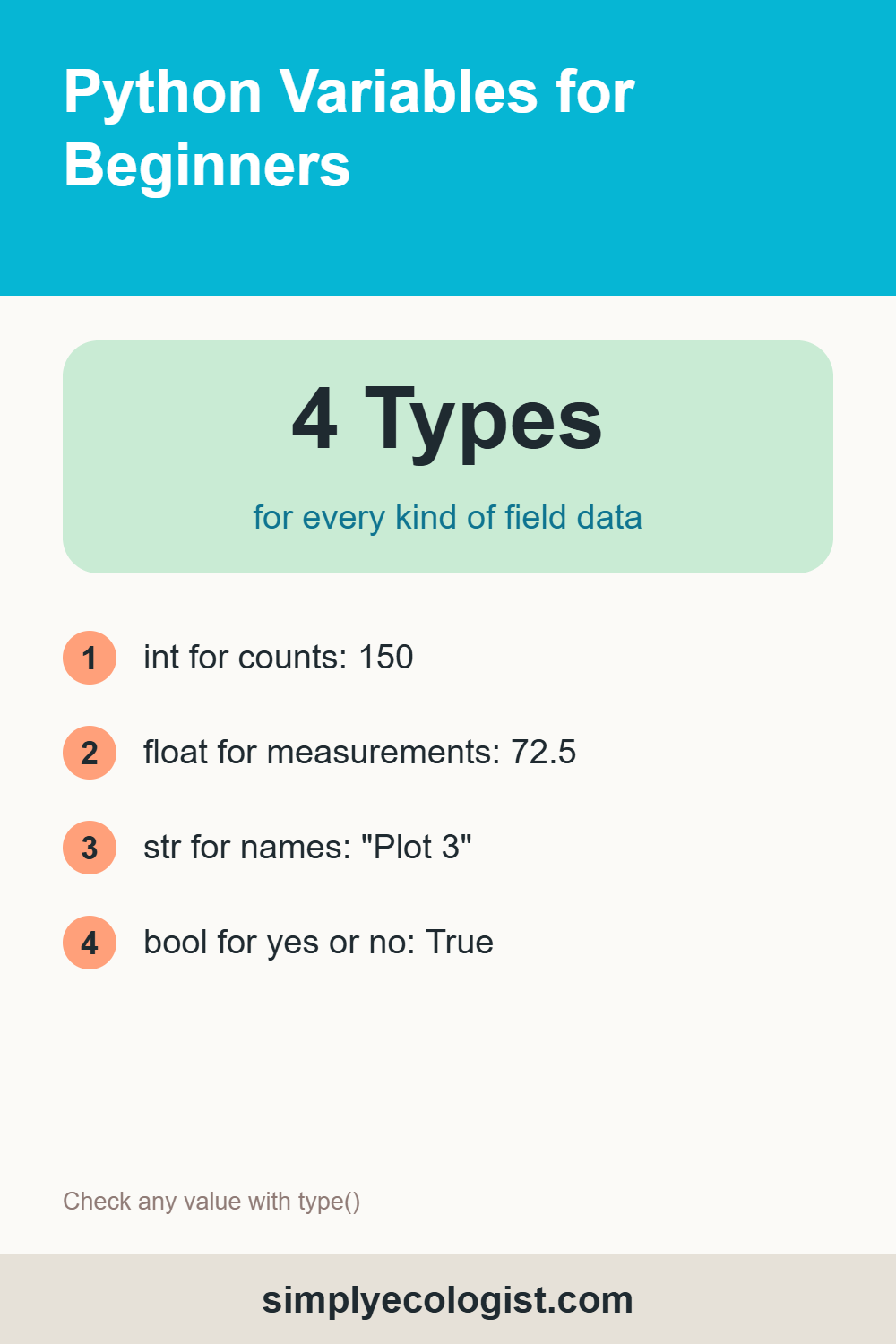
Quick answer: a Python variable is a name that points to a value. You create one by assigning a value with =, for example bird_count = 150. There is no separate declaration step. Python works out the data type for you: int for whole numbers, float for decimals, str for text and bool for True or False. You can check a type with type(), convert it with int(), float() or str(), and remove a variable with del.
What You Will Learn in This Lesson
- What a variable is and how to create one
- The four basic data types and when to use each
- How to check a data type with
type() - How to update a variable and convert between types
- The rules for naming variables
- What happens in memory when you create or delete a variable
What Is a Variable in Python?
A variable is a name that you attach to a value so you can use it later. Think of the labels on specimen jars. The jar holds the specimen. The label tells you what is inside and lets you find it again. In Python, the value is the specimen and the variable name is the label.
bird_count = 150Read it from left to right as “the name bird_count now refers to the value 150″. From now on, whenever you write bird_count, Python uses 150. Without variables, every number you measured would vanish the moment you typed it.
How Do You Declare a Variable in Python?
In many programming languages you must declare a variable first and say what type it will hold. Python skips that step. Declaring and assigning happen in one line: write the name, the assignment operator =, and the value.
survey_year = 2026
mean_wing_mm = 72.5
observer = "Eli"
This is the dynamic typing you met in lesson 1. Python looks at the value on the right and decides the type itself. It even lets the same name point to a different type later:
bird_count = 150
print(type(bird_count))   # <class 'int'>
bird_count = "one hundred and fifty"
print(type(bird_count))   # <class 'str'>
That flexibility is handy, but use it sparingly. A variable called bird_count that suddenly holds text is a trap for whoever reads your code next.
What Are the Basic Data Types in Python?
Choosing the right type matters. If you store a count as text, Python cannot add it up. Here are the four types you will use in almost every script.
int: Whole Numbers
For anything you count: individuals, nests, plots, eggs.
bird_count = 150float: Decimal Numbers
For anything you measure: lengths, masses, temperatures, coordinates.
wing_length_mm = 72.5str: Text
For names, codes and notes. Text always sits inside quotation marks, single or double.
species = "Erithacus rubecula"That is the scientific name of the European robin, Erithacus rubecula. Inside your code it is plain text, so it has no italics. In your reports, it should.
bool: True or False
For yes or no observations. Only two values exist, True and False, always with a capital first letter.
nest_active = TrueCollections: Many Values in One Variable
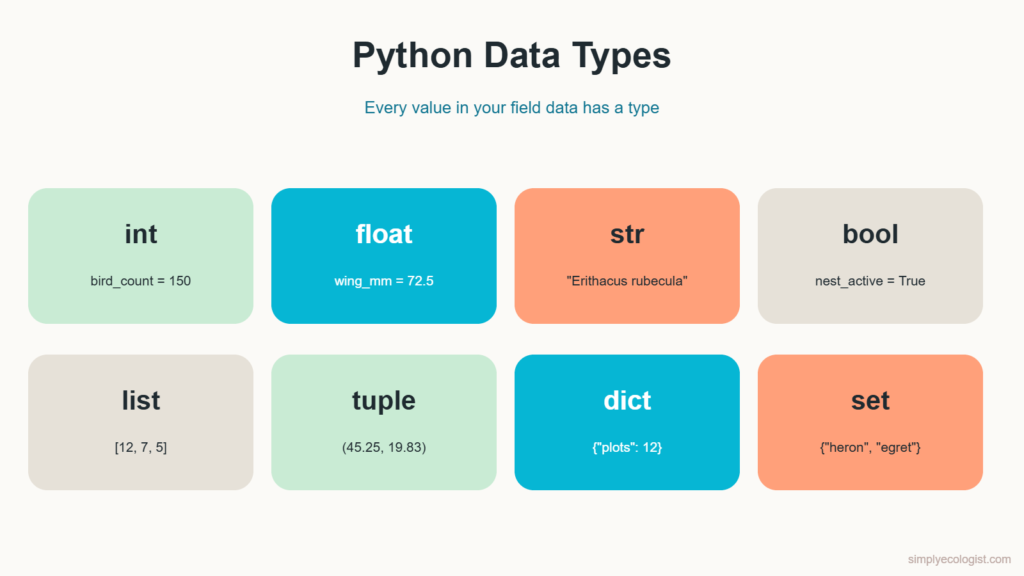
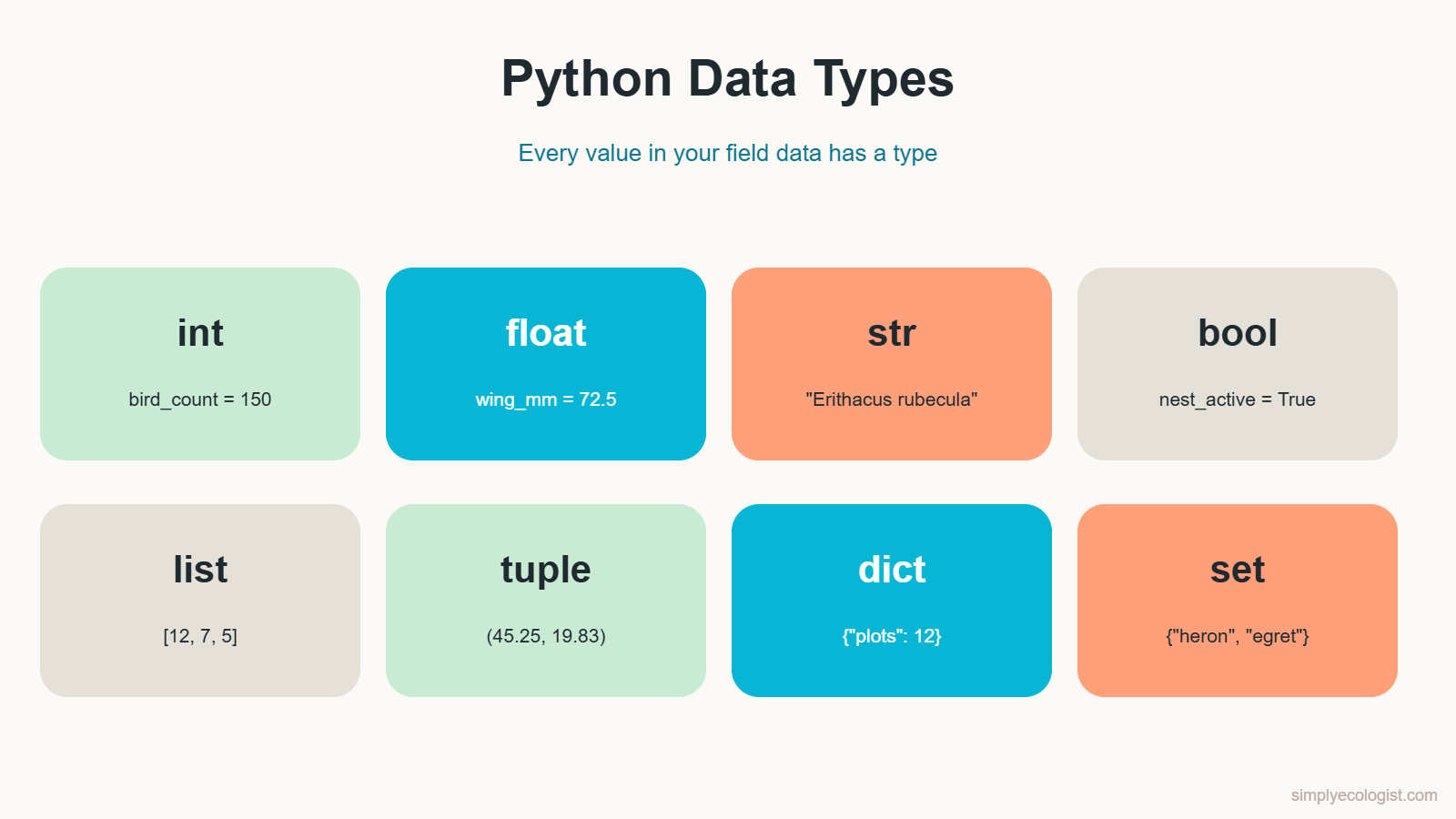
Python also has types that hold several values at once. You will use them properly later in the course, but it helps to recognise them now.
| Type | What it holds | Field example |
|---|---|---|
int | Whole numbers | bird_count = 150 |
float | Decimal numbers | wing_length_mm = 72.5 |
str | Text | species = "Erithacus rubecula" |
bool | True or False | nest_active = True |
list | An ordered collection you can change | daily_counts = [12, 7, 5] |
tuple | An ordered collection that cannot change | gps = (45.25, 19.83) |
dict | Key and value pairs | site = {"name": "North marsh", "plots": 12} |
set | Unique values, no duplicates | species_seen = {"heron", "egret"} |
A tuple suits coordinates well, because a point’s latitude and longitude should never be changed by accident. The full list of built in types is in the official Python documentation.
How Do I Check the Type of a Variable?
When a result looks wrong, the type is one of the first things to check. The built in function type() tells you what kind of value a variable holds.
Here is a classic mistake. A count was typed with quotation marks, so Python stored it as text:
bird_count = "150"
print(type(bird_count))
print(bird_count + 1)
<class 'str'>
TypeError: can only concatenate str (not "int") to strPython refuses to add the number 1 to a piece of text. Remove the quotation marks, and type() reports <class 'int'> and the sum works. This exact problem happens constantly with data loaded from spreadsheets, where a stray space or symbol turns a whole column of numbers into text.
How Do I Update a Variable?
A variable can be given a new value at any time. Often the new value is calculated from the old one, such as adding each day’s count to a running total:
total_hours = 15     # hours of fieldwork logged last week
new_hours = 5        # hours added this week
total_hours = total_hours + new_hours
print(total_hours)   # 20
Read the third line from right to left: Python first calculates total_hours + new_hours, which is 20, and then attaches the name total_hours to that new value.
How Do I Swap Two Variables?
Sometimes two values end up in the wrong variables, for example when two sites were recorded in the wrong columns. The classic fix uses a temporary variable:
north = 4
south = 9
temp = north    # keep a copy of north
north = south   # north now holds 9
south = temp    # south gets the old north, 4
Python also has a one line shortcut that does the same thing:
north, south = south, northHow Do I Convert Between Data Types?
You can turn one type into another with three built in functions: int(), float() and str(). This is called type conversion.
eggs = 7
mass_g = 18.6
print(float(eggs))   # 7.0
print(int(mass_g))   # 18
print(str(eggs))     # '7', now text
Watch the second line. int(18.6) gives 18, not 19. Converting a float to an int simply cuts off the decimals. If you want the nearest whole number, use round(18.6), which gives 19. Mixing these two up can quietly shift every mass in a dataset downward.
Converting text to a number works only if the text looks like a number: float("3.5") gives 3.5, but int("three") raises an error. You will use these conversions constantly from lesson 6, when users type data into your programs.
What Are the Rules for Naming Variables in Python?
In lesson 3 you learned the style: lowercase words joined by underscores, known as snake_case. On top of style, Python has hard rules. Break them and your script will not run.
- A name must start with a letter or an underscore, never a digit.
count_1is fine.1st_countis not. - A name can contain only letters, digits and underscores. No spaces, no minus signs.
nest countis two names, not one. - Names are case sensitive.
Countandcountare two different variables. - A name cannot be a reserved word. Python keeps 35 words for itself, such as
if,for,while,Trueandreturn.
Here is what Python says when each rule is broken:
1st_count = 5
SyntaxError: invalid decimal literal

for = 50
SyntaxError: invalid syntax

nest count = 4
SyntaxError: invalid syntax
And here is the case sensitive trap, with Python’s own helpful hint:
Count = 3
print(count)
NameError: name 'count' is not defined. Did you mean: 'Count'?
Beyond the rules, choose names that would make sense to a colleague: mean_clutch_size rather than mcs, plot_area_m2 rather than a. Putting the unit in the name, like _mm or _g, prevents a whole family of errors.
What Happens in Memory When You Create a Variable?
When you write bird_count = 150, three things happen behind the scenes:
- Python creates the value
150in the computer’s memory. - It creates the name
bird_count. - It links the name to the value, like tying a label to a jar.
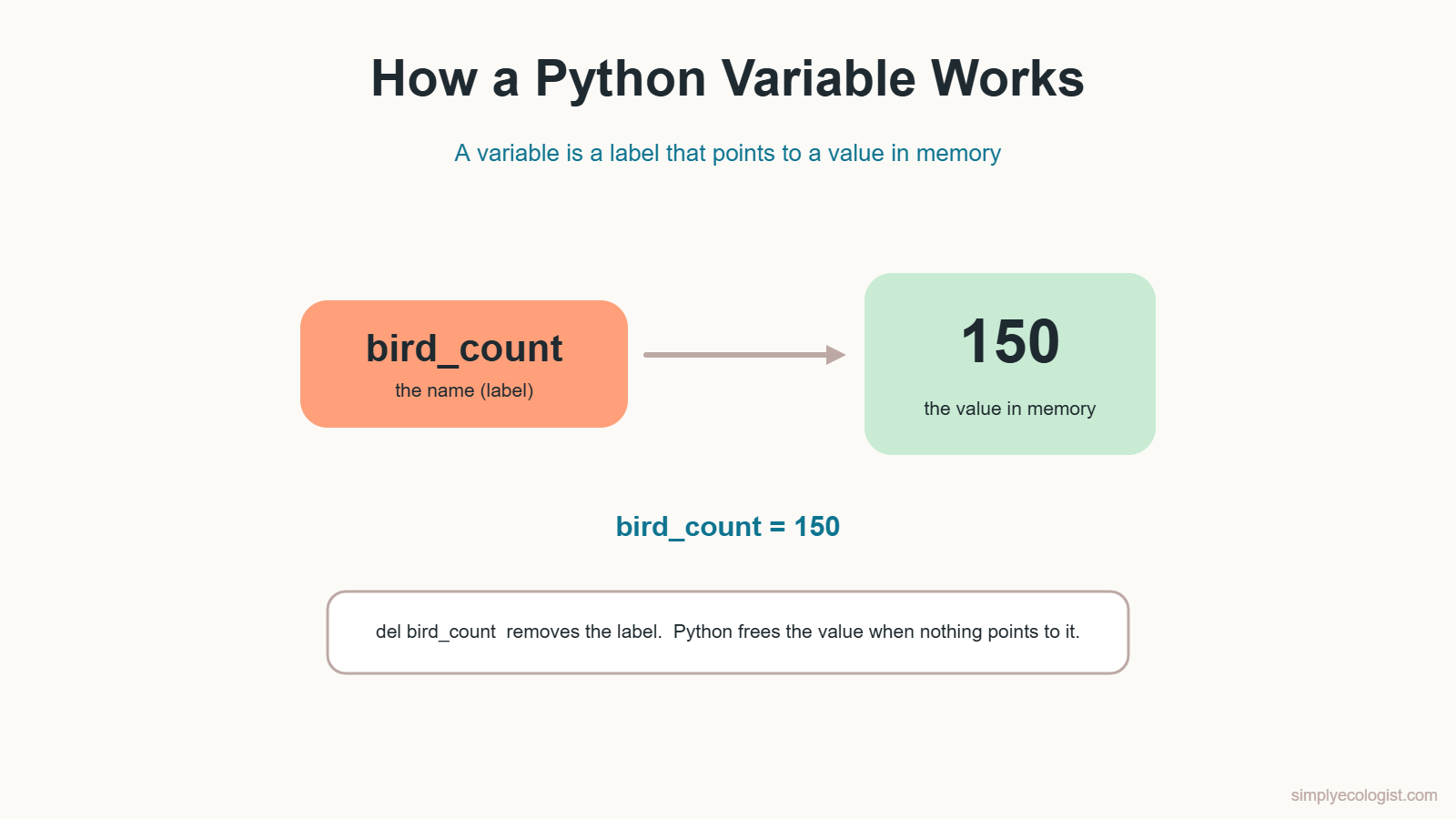
Every time you use bird_count, Python follows the label to the value. You never have to reserve or free memory yourself. Python manages memory automatically.
How Do You Delete a Variable in Python?
When you no longer need a variable, you can remove it with the keyword del:
trap_catches = 250
print(trap_catches)
del trap_catches
print(trap_catches)
250
NameError: name 'trap_catches' is not definedAfter del, the name is gone, and using it raises a NameError. To be precise about what happens: del removes the label. Python frees the memory of the value itself once no other name points to it. In everyday scripts you rarely need del. It becomes useful when you load a very large dataset, finish with it, and want to release that memory before loading the next one.
Practice Tasks
Task 1: Your Field Variables
Create one variable of each basic type for a survey you have done or would like to do: a count (int), a measurement (float), a species or site name (str) and a yes or no observation (bool). Print each one and its type.
Show a sample solution
frog_count = 23
water_temp_c = 14.5
pond_name = "Mill pond"
spawn_present = True
print(frog_count, type(frog_count))
print(water_temp_c, type(water_temp_c))
print(pond_name, type(pond_name))
print(spawn_present, type(spawn_present))
Task 2: Update a Running Total
You start the week with 150 birds already counted. Then you count 50 on Monday, 75 on Tuesday and 60 on Wednesday. Update the total after each day and print the final total.
Show the solution
total_birds = 150
monday = 50
tuesday = 75
wednesday = 60
total_birds = total_birds + monday
total_birds = total_birds + tuesday
total_birds = total_birds + wednesday
print(total_birds)   # 335
Task 3: Swap Two Counts
The counts for two sites were entered the wrong way round: north = 4 and south = 9. Print both, swap them using a temporary variable, print them again, then swap them back with the one line shortcut.
Show the solution
north = 4
south = 9
print(f"North: {north}, South: {south}")
temp = north
north = south
south = temp
print(f"After the first swap: North: {north}, South: {south}")
north, south = south, north
print(f"After the second swap: North: {north}, South: {south}")
Task 4: Convert Types
Store a whole number, a decimal number and a piece of text in three variables, and put them in a list. Then make a second list where the whole number is converted to a float and the decimal to an int. Finally, make a third list where both numbers are converted to text. Print all three lists.
Show the solution
eggs = 7
mass_g = 18.6
label = "Plot 3"
first = [eggs, mass_g, label]
second = [float(eggs), int(mass_g), label]
third = [str(float(eggs)), str(int(mass_g)), label]
print(first)    # [7, 18.6, 'Plot 3']
print(second)   # [7.0, 18, 'Plot 3']
print(third)    # ['7.0', '18', 'Plot 3']
Notice the quotation marks in the third list. Those values are now text, not numbers.
Task 5: Mini Project, Two Months of Nest Data
Your nest monitoring data show:
- April: 1,200 nests checked, mean clutch size 4.6 eggs
- May: 950 nests checked, mean clutch size 3.9 eggs
Create a variable for each value, calculate the total number of nests and the mean clutch size across both months, print the results, and check the type of every variable.
Show the solution
nests_april = 1200
nests_may = 950
clutch_april = 4.6
clutch_may = 3.9

total_nests = nests_april + nests_may
simple_mean = (clutch_april + clutch_may) / 2
weighted_mean = (
    (nests_april * clutch_april + nests_may * clutch_may)
    / total_nests
)

print(f"Total nests: {total_nests}")                  # 2150
print(f"Simple mean clutch: {simple_mean}")           # 4.25
print(f"Weighted mean clutch: {round(weighted_mean, 2)}")  # 4.29
print(type(total_nests), type(simple_mean))
Two lessons hide in this task. First, the mean of two means must be divided by 2; simply adding them gives 8.5 eggs, a clutch no bird laid. Second, April had more nests, so a mean weighted by the number of nests (4.29) is more honest than the simple mean (4.25). Small difference here, but with very uneven sample sizes it can change your conclusion.
Task 6: Delete and Observe
Create two variables, print them, delete both with del, then try to print them again. Read the error message.
Quiz: Variables and Data Types
1. How do you create a variable in Python?
a) int bird_count = 150 b) bird_count = 150 c) declare bird_count 150
Show answer
b) Python creates the variable the moment you assign a value.
2. What type is 72.5?
a) int b) float c) str
Show answer
b) float, a decimal number.
3. What type is "150"?
a) int b) str c) bool
Show answer
b) str. The quotation marks make it text.
4. What does int(18.6) return?
a) 18 b) 19 c) 18.6
Show answer
a) 18. int() cuts off the decimals. Use round() to get 19.
5. Which variable name is valid?
a) 2nd_site b) site 2 c) site_2
Show answer
c) site_2. Names cannot start with a digit or contain spaces.
6. Are Count and count the same variable?
a) Yes b) No
Show answer
b) No. Python names are case sensitive.
7. Which type is best for GPS coordinates that should never change?
a) list b) tuple c) set
Show answer
b) tuple, an ordered collection that cannot be changed.
8. What happens if you use a variable after del?
a) It returns 0 b) NameError c) It returns its old value
Show answer
b) NameError, because the name no longer exists.
9. Which line swaps the values of a and b?
a) a = b b) a, b = b, a c) swap(a, b)
Show answer
b) a, b = b, a, Python’s one line swap.
Key Takeaways
- A variable is a name that points to a value. You create it with
=, with no separate declaration. - Use
intfor counts,floatfor measurements,strfor text andboolfor yes or no. type()shows a value’s type. It is your first check when a result looks wrong.int(),float()andstr()convert between types.int()cuts decimals,round()rounds them.- Names start with a letter or underscore, contain only letters, digits and underscores, are case sensitive and cannot be reserved words.
delremoves a name. Python frees the memory for you.
Previous lesson: PEP 8 Python Style Guide for Beginners
Next lesson: Python Operators Explained.
Back to the course: Python for Biologists, all 16 lessons

Erzsebet Frey (Eli Frey) is an ecologist and online entrepreneur with a Master of Science in Ecology from the University of Belgrade. Originally from Serbia, she has lived in Sri Lanka since 2017. Eli has worked internationally in countries like Oman, Brazil, Germany, and Sri Lanka. In 2018, she expanded into SEO and blogging, completing courses from UC Davis and Edinburgh. Eli has founded multiple websites focused on biology, ecology, environmental science, sustainable and simple living, and outdoor activities. She enjoys creating nature and simple living videos on YouTube and participates in speleology, diving, and hiking. ORCID: 0009-0002-7482-7986
From the shop
Gifts for people who love the wild
Wildlife themed t-shirts, notebooks, tote bags, bandanas and guides, designed by an ecologist.
Visit the shop