
Lesson 6 of 16 in Python for Biologists, a free beginner course with ecology examples.
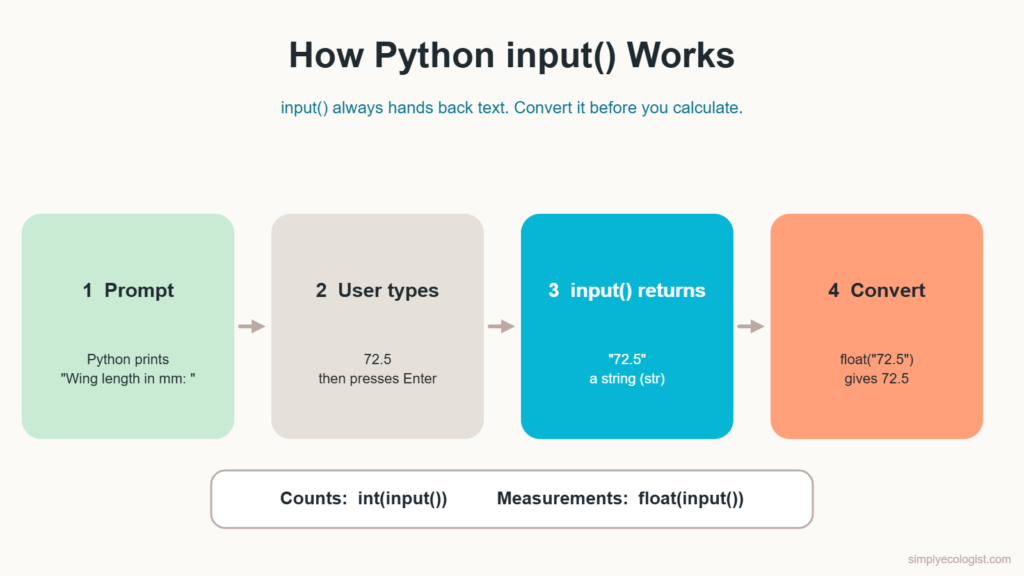
So far, every number in our programs was typed straight into the code. That works for one survey, but a program that adds up bird counts is far more useful if anyone can run it with their own numbers. The input() function does exactly that: it stops the program, asks a question, and waits for the person at the keyboard to answer.
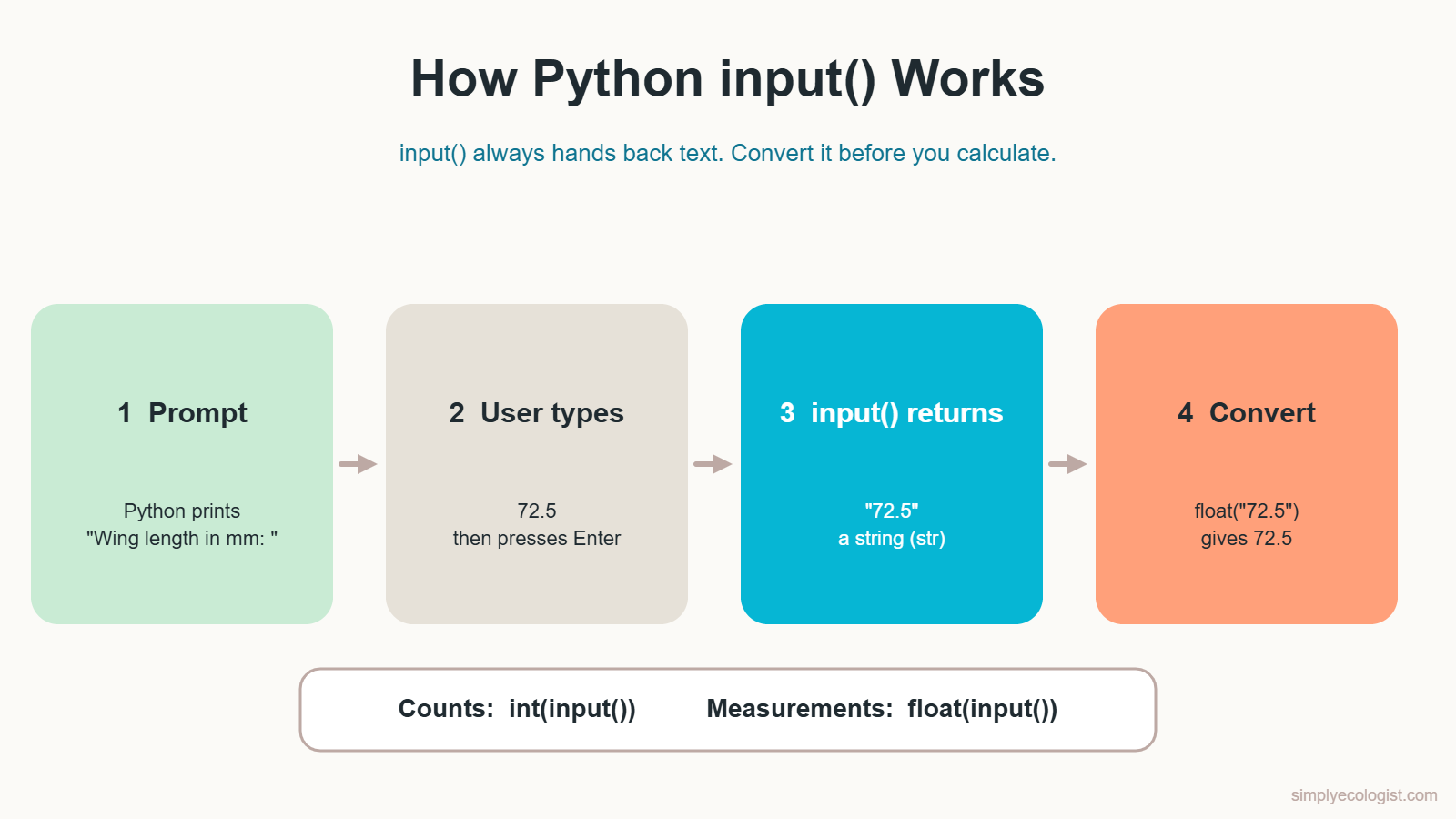
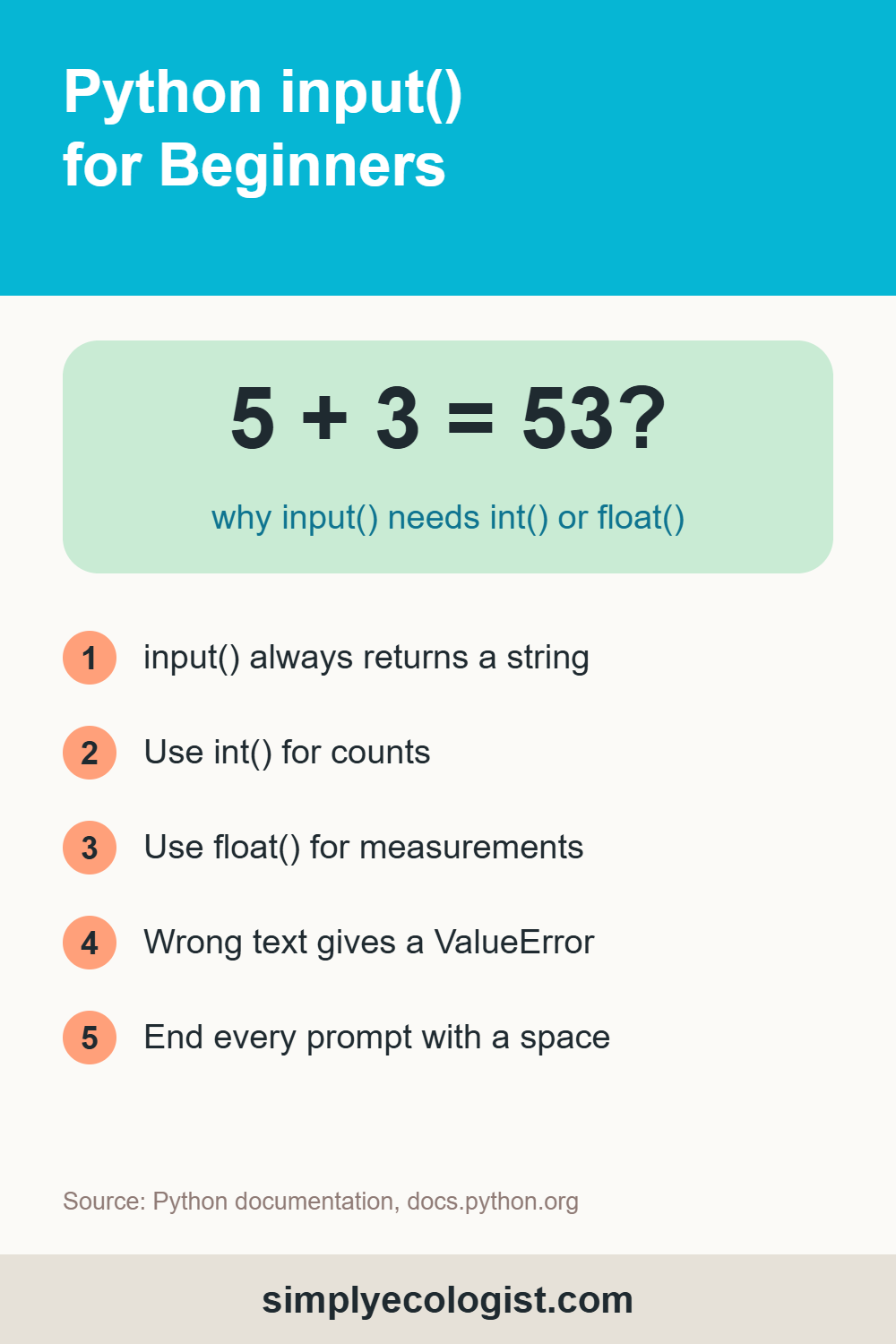
Quick answer: input() shows a message (the prompt), waits for the user to type something and press Enter, and returns what they typed as a string. Even if the user types a number, Python gets text. To calculate with it, convert it: int(input("Count: ")) for whole numbers and float(input("Length: ")) for decimals.
What You Will Learn in This Lesson
- What the
input()function does and how to write a good prompt - Why
input()always gives you a string - How to take integer and float input
- What happens when you forget to convert, and when the user types the wrong thing
- Six ways to print user input together with your own text
What Does the Python input() Function Do?
input() lets a program collect information from the person running it. When Python reaches the line, three things happen:
- Python prints the prompt, the text inside the brackets.
- The program pauses and waits. Nothing else runs until the user types an answer and presses Enter.
input()hands back what was typed, and you store it in a variable.
species = input("Which species did you see? ")
print(f"You recorded: {species}")
When you run it, the conversation in the terminal looks like this:
Which species did you see? Common toad
You recorded: Common toad
The f string in the second line, with the letter f before the quotation marks, puts the value of species into the text wherever you write {species}. You met it briefly in lesson 5, and from now on you will use it constantly.
How Do I Write a Good Prompt?
Two small habits make your programs much nicer to use:
- End the prompt with a space. Python prints the prompt exactly as written. Without the space, the answer is glued to the question:
Which species did you see?Common toad. - Say what you expect. A prompt like
"Wing length in mm: "tells the user both the unit and that a number is needed. Clear prompts prevent most typing mistakes.
Why Does input() Always Return a String?
input() cannot know what the user means. The characters 12 could be a count, a site code or a date. So Python plays it safe and always returns exactly what was typed, as text. You can check this with type(), which you learned in lesson 4:
count = input("How many toads did you count? ")
print(type(count))
How many toads did you count? 12
<class 'str'>The user typed a number, but count holds the string "12". That matters as soon as you try to calculate.
What Happens If You Forget to Convert?
Two observers walk two transects and each types in a count:
transect_1 = input("Birds on transect 1: ")
transect_2 = input("Birds on transect 2: ")
print(f"Total birds: {transect_1 + transect_2}")
Birds on transect 1: 5
Birds on transect 2: 3
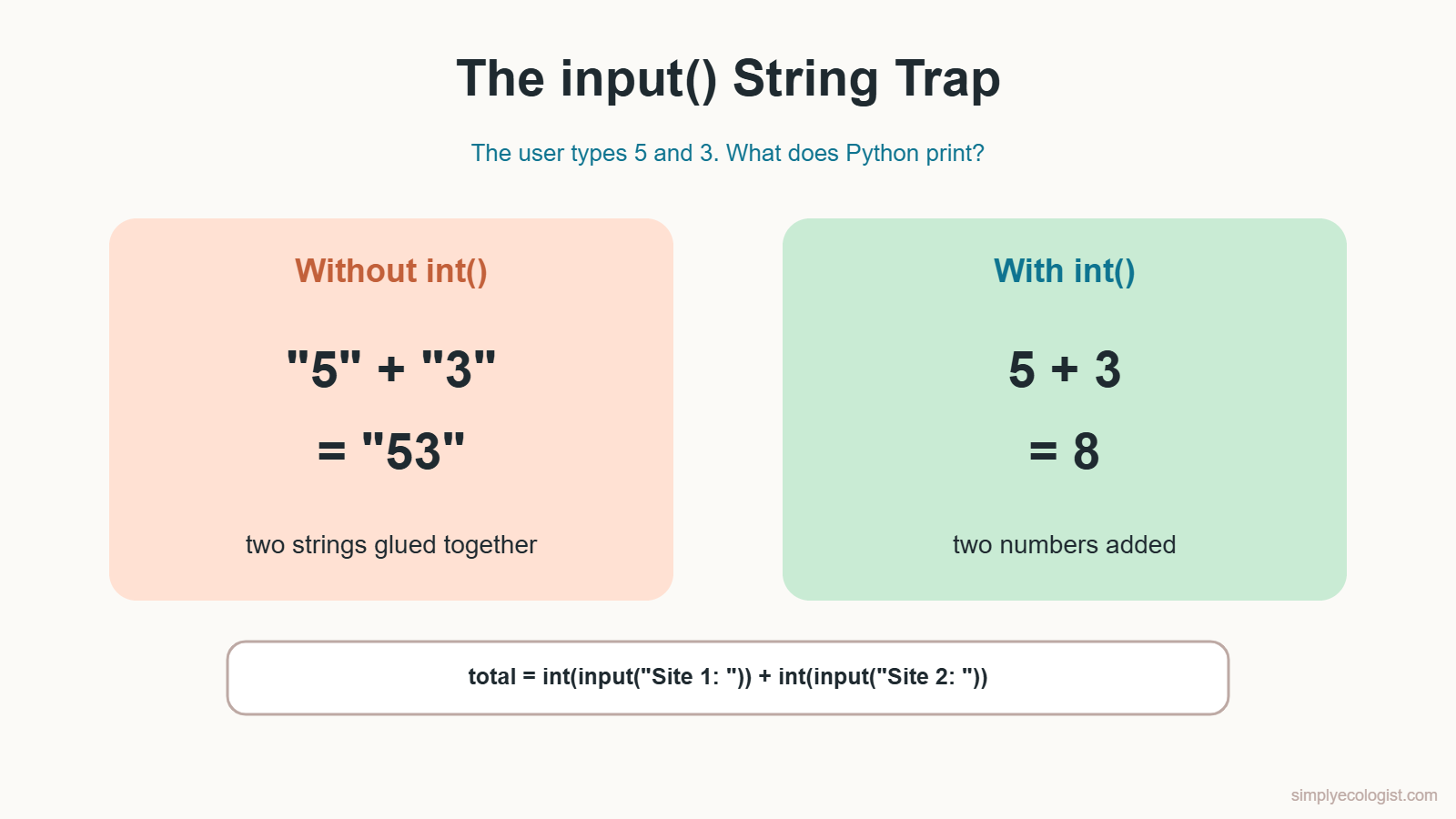
Total birds: 53Not 8, but 53. Python did not add two numbers. It joined two strings, "5" and "3", because + on strings means “glue together”. No error message warns you, which is why this bug is so easy to miss in real data.
How Do I Take Integer Input in Python?
Wrap the input() call in int(). Python works from the inside out: first input() collects the text, then int() turns it into a whole number.
transect_1 = int(input("Birds on transect 1: "))
transect_2 = int(input("Birds on transect 2: "))
total = transect_1 + transect_2
print(f"Total birds: {total}")
Birds on transect 1: 5
Birds on transect 2: 3
Total birds: 8You can also convert in a separate step. Both versions do the same thing:
count = input("How many nests? ")
count = int(count)
The one line version is shorter and the one you will see most often.
How Do I Take Float Input in Python?
For measurements with decimals, such as lengths, weights or temperatures, use float():
wing_mm = float(input("Wing length in mm: "))
mass_g = float(input("Body mass in g: "))
print(f"Wing: {wing_mm:.2f} mm, mass: {mass_g:.3f} g")
Wing length in mm: 72.5
Body mass in g: 18.25
Wing: 72.50 mm, mass: 18.250 gThe :.2f inside the curly brackets means “show this float with 2 decimal places”. Change the number to show more or fewer decimals. This only changes how the number is printed. The value stored in wing_mm stays exactly as typed.
You will also meet an older style in tutorials and older code, which uses %:
wing_mm = 72.5
mass_g = 18.25
print("Wing: %.2f mm, mass: %.3f g" % (wing_mm, mass_g))
It prints the same line. It still works, but f strings are easier to read, so use them in new code.
Which One Should I Use, int() or float()?
int()for things you count: individuals, nests, eggs, visits, years.float()for things you measure: length, mass, temperature, pH, coordinates.
What If the User Types Something Python Cannot Convert?
Conversion only works when the text really looks like that kind of number. If a tired field assistant types a word, the program stops with an error:
count = int("twelve")ValueError: invalid literal for int() with base 10: 'twelve'A decimal typed into int() fails too, which surprises many beginners:
count = int("3.5")ValueError: invalid literal for int() with base 10: '3.5'On the other hand, float("12") works fine and gives 12.0, and spaces around the number are ignored, so int(" 12 ") gives 12. For now, the safest habit is a clear prompt that tells the user what to type. In lesson 9 you will learn to check the input with a loop and ask again until it is valid.
For the full details of the function, see the input() entry in the Python documentation. Real Python also has a longer guide to basic input and output if you want more examples.
How Do I Combine User Input With My Own Text?
Once you have the input, you usually want to print it back inside a sentence. Python gives you several ways. Here are six, all printing two site names separated by a comma:
site_1 = input("First site: ")
site_2 = input("Second site: ")

print(site_1, ",", site_2)               # 1: commas inside print()
print(site_1 + "," + site_2)             # 2: joining strings with +
print("{0:s},{1:s}".format(site_1, site_2))  # 3: format() with positions
print("{},{}".format(site_1, site_2))    # 4: format() in order
print("%s,%s" % (site_1, site_2))        # 5: the old % style
print(f"{site_1},{site_2}")              # 6: f string
First site: Oak Wood
Second site: Reed Bed
Oak Wood , Reed Bed
Oak Wood,Reed Bed
Oak Wood,Reed Bed
Oak Wood,Reed Bed
Oak Wood,Reed Bed
Oak Wood,Reed BedNotice the first line is different. When you separate values with commas inside print(), Python adds a space between each one. The other five give you full control over spacing. In practice, use the f string (number 6).
How Do I Print Quotation Marks Around the Input?
Put one kind of quotation mark inside the other kind:
species = input("Species: ")
print(f"'{species}'")   # double outside, single inside
print(f'"{species}"')   # single outside, double inside
Species: Bufo bufo
'Bufo bufo'
"Bufo bufo"If you use the same kind inside and outside, like print(''{}''.format(species)), Python thinks the string ends early and stops with a SyntaxError.
Practice Tasks
Each task asks for input, so run them yourself and type in your own answers.
Task 1: Your Field Info
Create a file called my_info.py. Ask for the user’s name and the field site they work at, then print a welcome message. For an extra step, also ask for the year they started fieldwork.
Show the solution
# Program that shows basic information about the user
name = input("Enter your name: ")
site = input("Enter your field site: ")
start_year = input("Year you started fieldwork: ")

# Welcome message
print(f"Hello, {name} from {site}! In the field since {start_year}.")
Enter your name: Alex
Enter your field site: Danube floodplain
Year you started fieldwork: 2019
Hello, Alex from Danube floodplain! In the field since 2019.Try deleting the lines that start with # and running it again. Nothing changes, because comments are only notes for people.
Task 2: Spot the Difference
Type in both programs, run them, and explain why the output is different.
# Program A
species = input("Which species did you see? ")
print(f"You saw: {species}!")

# Program B
species = input("Which species did you see? ")
print("You saw: species!")
Show the solution
Program A prints You saw: Common toad! (or whatever species you typed). Program B always prints You saw: species!. Without the f and the curly brackets, species is just seven letters of text, not the variable.
Task 3: Two Measurements
Ask the user for two decimal numbers: a wing length and a body mass. Print the first with 2 decimal places and the second with 3, on separate lines.
Show the solution
wing_mm = float(input("Enter the wing length in mm: "))
mass_g = float(input("Enter the body mass in g: "))
print(f"Wing length: {wing_mm:.2f}\nBody mass: {mass_g:.3f}")
Enter the wing length in mm: 72.5
Enter the body mass in g: 18.25
Wing length: 72.50
Body mass: 18.250The \n inside the string starts a new line.
Task 4: Quote the Species
Ask the user for a species name and print it twice: once inside single quotation marks and once inside double quotation marks.
Show the solution
species = input("Enter a species name: ")
print("'{}'".format(species))
print('"{}"'.format(species))
The f string version from above works just as well.
Task 5: Join Two Sites
Ask for two site names and print them joined by a comma with no spaces, using at least three of the six methods from this lesson.
Show the solution
site_1 = input("Enter the first site: ")
site_2 = input("Enter the second site: ")
print(site_1 + "," + site_2)
print("{},{}".format(site_1, site_2))
print(f"{site_1},{site_2}")
Task 6: Two Observers, One Total
Write a program that:
- asks for the name of the first observer and how many birds they counted;
- asks the same for the second observer;
- adds up the counts;
- prints a message such as: Observers Alex and Max counted 50 birds together.
Bonus: also ask for each observer’s years of experience and print a line such as: Alex, with 3 years of experience, counted 20 birds.
Show the solution
observer_1 = input("Name of the first observer: ")
count_1 = int(input("Birds counted by the first observer: "))
years_1 = int(input("Years of experience of the first observer: "))

observer_2 = input("Name of the second observer: ")
count_2 = int(input("Birds counted by the second observer: "))
years_2 = int(input("Years of experience of the second observer: "))

total = count_1 + count_2
print(f"Observers {observer_1} and {observer_2} "
      f"counted {total} birds together.")
print(f"{observer_1}, with {years_1} years of experience, "
      f"counted {count_1} birds.")
print(f"{observer_2}, with {years_2} years of experience, "
      f"counted {count_2} birds.")
Name of the first observer: Alex
Birds counted by the first observer: 20
Years of experience of the first observer: 3
Name of the second observer: Max
Birds counted by the second observer: 30
Years of experience of the second observer: 5
Observers Alex and Max counted 50 birds together.
Alex, with 3 years of experience, counted 20 birds.
Max, with 5 years of experience, counted 30 birds.Names stay as strings, because you never calculate with them. Counts and years are converted with int(). The long f strings are split over two lines to keep each line short, as PEP 8 recommends: two strings written next to each other inside the brackets are joined into one.
Task 7: Predict, Then Run
For each program, the user types the bird counts 4 and then 6. Predict the output before you run it.
# Program A
count_1 = input("Count at site 1: ")
count_2 = input("Count at site 2: ")
print(count_1 + count_2)

# Program B
count_1 = int(input("Count at site 1: "))
count_2 = int(input("Count at site 2: "))
print(count_1 + count_2)

# Program C
count_1 = float(input("Count at site 1: "))
count_2 = float(input("Count at site 2: "))
print(count_1 + count_2)

# Program D
count_1 = input("Count at site 1: ")
count_2 = input("Count at site 2: ")
print(count_1 * 3)
Show the solution
A prints 46: two strings joined. B prints 10: two integers added. C prints 10.0: two floats added. D prints 444: a string multiplied by 3 is repeated 3 times. Only B gives a sensible total for whole birds.
Quiz: Python input()
1. What data type does input() return?
a) int b) str c) whatever the user typed
Show answer
b) str. Always a string, even when the user types a number.
2. The user types 7. What is type(input("Eggs: "))?
a) <class ‘int’> b) <class ‘str’> c) <class ‘float’>
Show answer
b) <class ‘str’>
3. The user types 5 and 3. What does print(input() + input()) show?
a) 8 b) 53 c) an error
Show answer
b) 53. The two strings are joined, not added.
4. Which line correctly reads a whole number?
a) n = input(int("Count: ")) b) n = int(input("Count: ")) c) n = int.input("Count: ")
Show answer
b) input() goes inside, int() wraps it.
5. Which function should you use to read a water temperature such as 14.5?
a) int() b) float() c) str()
Show answer
b) float(), because the value has decimals.
6. What does int("3.5") do?
a) gives 3 b) gives 4 c) stops with a ValueError
Show answer
c) ValueError. int() cannot read a decimal written as text.
7. What does f"{18.27:.1f}" produce?
a) 18.27 b) 18.3 c) 18
Show answer
b) 18.3. One decimal place, rounded.
8. Why should a prompt end with a space?
a) Python requires it b) so the answer is not glued to the question c) it makes input faster
Show answer
b) It is only for readability. The program works without it.
9. What happens while Python waits at an input() line?
a) the rest of the program keeps running b) the program pauses until the user presses Enter c) the program ends
Show answer
b) Nothing after the line runs until the user answers.
Key Takeaways
input("prompt ")asks a question, waits for Enter and returns the answer.- The answer is always a string. Check it with
type()if you are unsure. - Use
int(input())for counts andfloat(input())for measurements. - Forgetting to convert joins numbers as text: 5 and 3 become 53, with no warning.
- Text that does not look like a number causes a
ValueError, so write clear prompts. - Use f strings to put the input back into a sentence, and
:.2fto control decimals.
Previous lesson: Python Operators Explained
Next lesson: Python if, elif and else Statements.
Back to the course: Python for Biologists, all 16 lessons

Erzsebet Frey (Eli Frey) is an ecologist and online entrepreneur with a Master of Science in Ecology from the University of Belgrade. Originally from Serbia, she has lived in Sri Lanka since 2017. Eli has worked internationally in countries like Oman, Brazil, Germany, and Sri Lanka. In 2018, she expanded into SEO and blogging, completing courses from UC Davis and Edinburgh. Eli has founded multiple websites focused on biology, ecology, environmental science, sustainable and simple living, and outdoor activities. She enjoys creating nature and simple living videos on YouTube and participates in speleology, diving, and hiking. ORCID: 0009-0002-7482-7986
From the shop
Gifts for people who love the wild
Wildlife themed t-shirts, notebooks, tote bags, bandanas and guides, designed by an ecologist.
Visit the shop