
Lesson 5 of 16 in Python for Biologists, a free beginner course with ecology examples.
Storing a count is only the beginning. The real questions in fieldwork are about what you do with it. How many birds across all sites? Is this year’s count higher than last year’s? Was the pond both warm enough and deep enough for spawning? Operators are the small symbols that let Python calculate, compare and combine, and once you know them, your variables start answering questions.
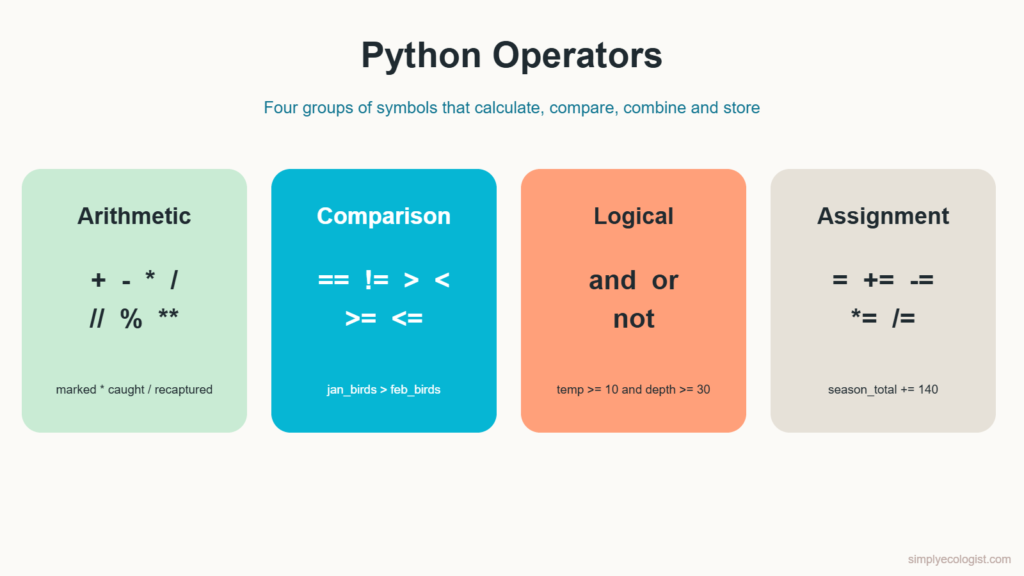
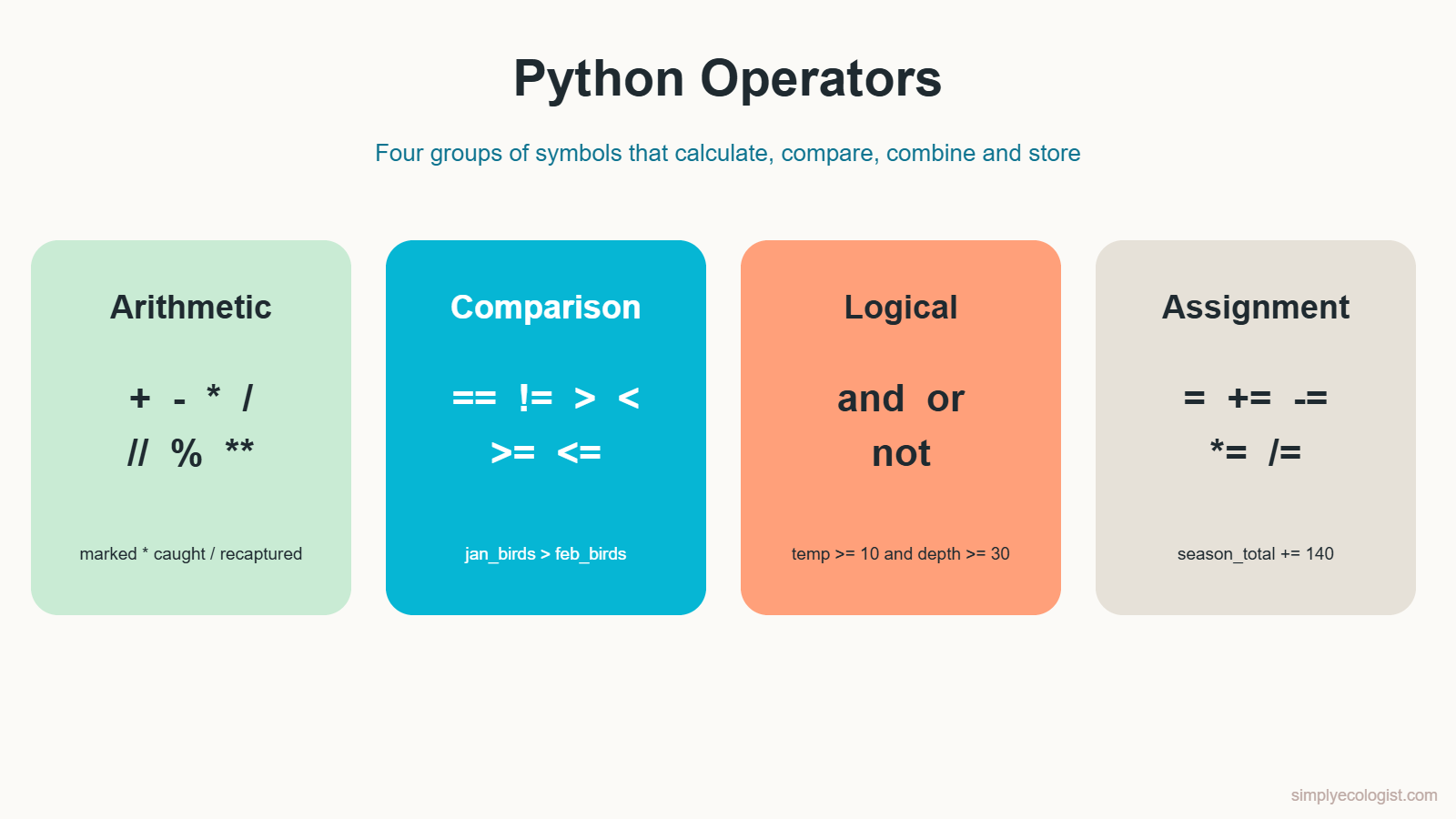
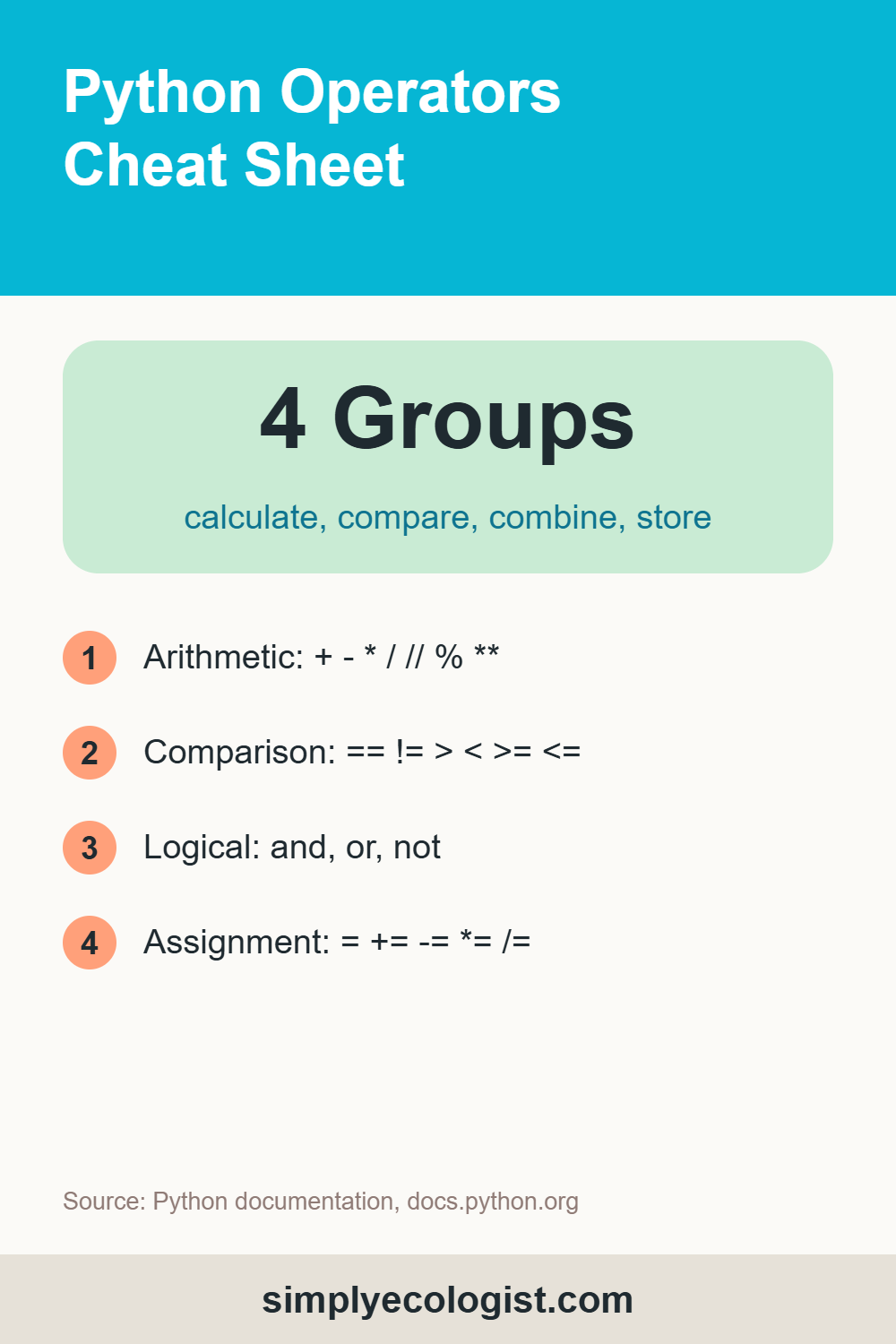
Quick answer: Python operators are symbols that act on values. There are four groups you need first: arithmetic (+ - * / // % **) for calculations, comparison (== != > < >= <=) which return True or False, logical (and or not) for combining conditions, and assignment (= += -= *= /=) for storing and updating values. When several operators share one line, Python follows a fixed order of precedence, and brackets always go first.
What You Will Learn in This Lesson
- What an operator is
- Arithmetic operators, including floor division and modulo
- Comparison operators, including not equal
- Logical operators
and,orandnot - Assignment operators such as
+= - Operator precedence: which operation Python does first
What Are Operators in Python?
An operator is a symbol that performs an action on one or more values. In 5 + 3, the + is the operator and 5 and 3 are its operands. You already used two operators in lesson 4: = to store values and + to add them.
Think of a field kit. A tape measure, a scale and a thermometer each do one job. Operators are Python’s field kit: one symbol, one job.
What Are the Arithmetic Operators in Python?
Arithmetic operators do maths on numbers.
| Operator | What it does | Example | Result |
|---|---|---|---|
+ | Addition | 5 + 3 | 8 |
- | Subtraction | 10 - 4 | 6 |
* | Multiplication | 7 * 6 | 42 |
/ | Division | 8 / 2 | 4.0 |
// | Floor division | 9 // 4 | 2 |
% | Modulo (remainder) | 10 % 3 | 1 |
** | Power | 2 ** 4 | 16 |
Three of these deserve a closer look.
Division Always Gives a Float
8 / 2 gives 4.0, not 4. In Python, / always returns a decimal number, even when the answer is whole.
Floor Division and Modulo Work as a Pair
You have 50 sample vials, and each storage box holds 12. How many full boxes, and how many vials left over?
vials = 50
box_size = 12
full_boxes = vials // box_size   # 4
left_over = vials % box_size     # 2
// gives the whole number of times 12 fits into 50, and % gives what remains. Strictly, // rounds down toward the smaller number, so -9 // 4 is -3, not -2. With counts that are never negative, you will rarely notice.
Modulo has another everyday use: checking whether a number is even. A number is even when the remainder after dividing by 2 is 0. That is handy when alternate plots get alternate treatments:
plot_number = 18
print(plot_number % 2)   # 0, so plot 18 is even
A Real Ecology Formula
Operators turn field formulas straight into code. The Lincoln Petersen estimate of population size uses three numbers from a mark and recapture study: the animals you marked, the animals you caught on the second visit, and how many of those carried a mark.
marked = 40       # newts marked on the first visit
caught = 50       # newts caught on the second visit
recaptured = 8    # of those 50, how many were marked
population = marked * caught / recaptured
print(population)   # 250.0
What Are the Comparison Operators in Python?
Comparison operators compare two values and give back a bool: True or False. They are how your code asks questions about your data.
| Operator | Meaning | Example | Result |
|---|---|---|---|
== | Equal to | 5 == 5 | True |
!= | Not equal to | 5 != 3 | True |
> | Greater than | 5 > 3 | True |
< | Less than | 3 < 5 | True |
>= | Greater than or equal to | 5 >= 5 | True |
<= | Less than or equal to | 3 <= 5 | True |
Did more birds visit the feeder in January than in February?
january_birds = 135
february_birds = 120
print(january_birds > february_birds)   # True
How Do I Write Not Equal in Python?
Not equal is written !=. Say your protocol requires exactly 5 traps per site:
traps_set = 4
print(traps_set != 5)   # True, something is wrong
The Most Common Beginner Mistake
= and == look alike but do completely different jobs. One = stores a value. Two == compare two values. If you ever see an error when you meant to compare, check that you used two.
Chained Comparisons
Python lets you check a range in one natural line, just as you would write it in maths:
water_temp_c = 14
print(10 <= water_temp_c <= 18)   # True, inside the spawning range
What Are the Logical Operators in Python?
Real questions often have more than one condition. Logical operators combine conditions into one answer.
andgivesTrueonly if both conditions are true.orgivesTrueif at least one condition is true.notflips a value:TruebecomesFalseand the other way round.
| A | B | A and B | A or B | not A |
|---|---|---|---|---|
| True | True | True | True | False |
| True | False | False | True | False |
| False | True | False | True | True |
| False | False | False | False | True |
Is a pond suitable for amphibian spawning? It must be warm enough and deep enough:
water_temp_c = 14
depth_cm = 35
suitable = water_temp_c >= 10 and depth_cm >= 30
print(suitable)   # True
Should a site be flagged for a revisit? Yes, if the count was unusually high or the weather was poor:
count = 155
rain = False
revisit = count > 150 or rain
print(revisit)   # True
How Does the not Operator Work?
not reverses a condition. These two lines ask the same question in two ways:
count = 155
print(not count < 100)   # True
print(count >= 100)      # True
Both are correct. Choose whichever reads more naturally. Usually the version without not is clearer, but not shines with yes or no variables: if not nest_active reads almost like English.
What Are the Assignment Operators in Python?
The basic assignment operator is =, which you already know. Python also has combined assignment operators that do a calculation and update the variable in one step.
total_birds = 320
total_birds = total_birds + 140   # the long way
total_birds += 140 # the short way, same result| Operator | Same as | Example, starting from 320 | Result |
|---|---|---|---|
+= | x = x + n | x += 140 | 460 |
-= | x = x - n | x -= 25 (from 460) | 435 |
*= | x = x * n | x *= 2 (from 435) | 870 |
/= | x = x / n | x /= 4 (from 870) | 217.5 |
You will use += constantly, especially in loops from lesson 9 onward, to keep running totals.
What Is Operator Precedence in Python?
When one line contains several operators, Python does not simply work from left to right. It follows an order of priority called precedence, much like the order of operations you learned in school maths.
result = 5 + 3 * 2
print(result)   # 11, not 16
Multiplication comes before addition, so Python calculates 3 * 2 first. If you want the addition first, use brackets: (5 + 3) * 2 gives 16.
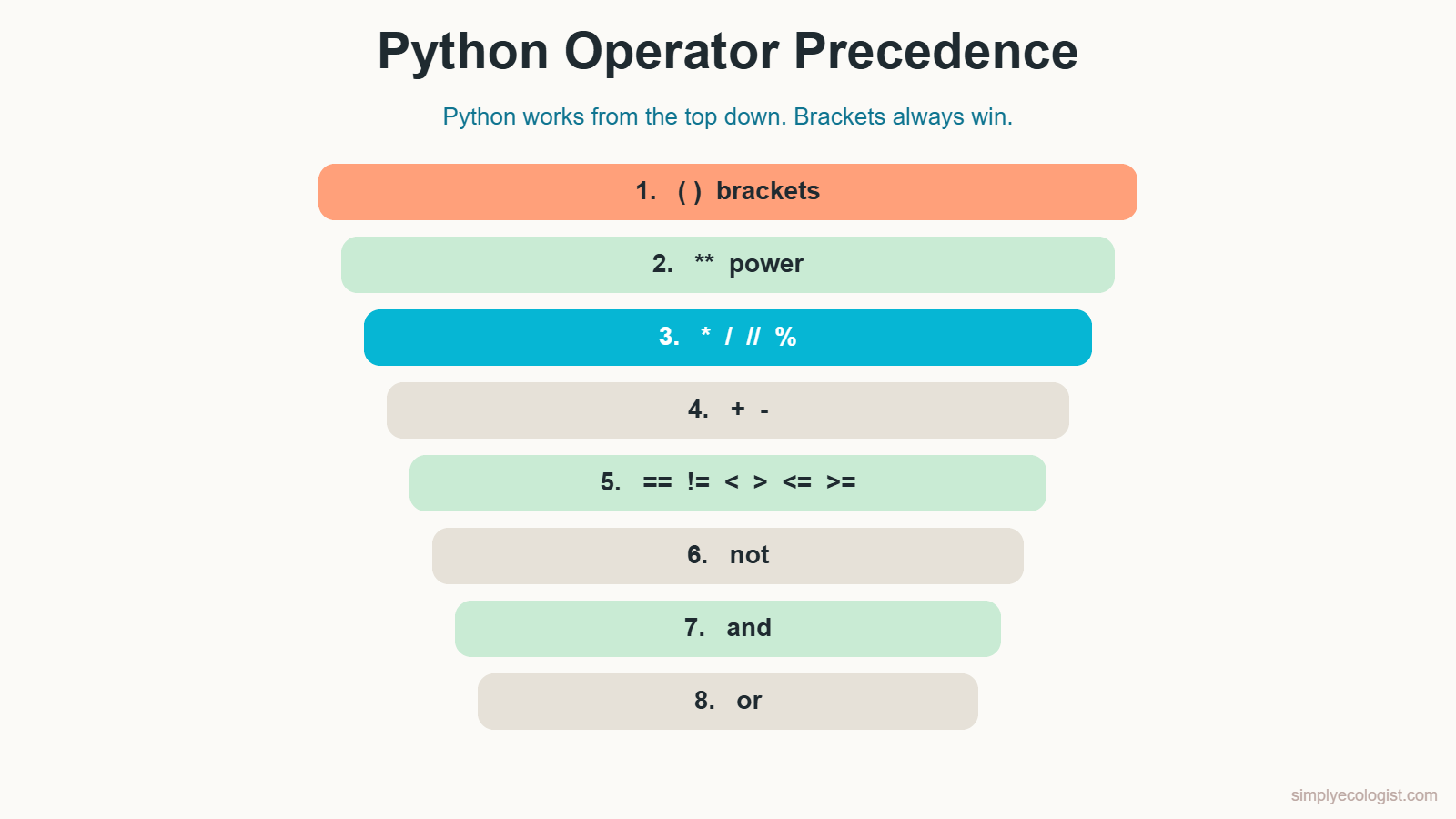
| Priority | Operators | Example |
|---|---|---|
| 1, highest | () brackets | (5 + 2) * 3 |
| 2 | ** power | 2 ** 3 |
| 3 | * / // % | 5 * 2 / 3 |
| 4 | + - | 5 + 2 - 3 |
| 5 | == != < > <= >= | 5 == 3 |
| 6 | not | not True |
| 7 | and | a and b |
| 8, lowest | or | a or b |
The full table, including rarer operators such as the bitwise ones, is in the Python documentation.
What Is Associativity?
When two operators have the same priority, Python reads them from left to right:
remaining = 100 - 20 - 10
print(remaining)   # 70, calculated as (100 - 20) - 10
There is one exception worth knowing: ** works from right to left. 2 ** 3 ** 2 is 2 ** 9, which is 512, not 64.
The practical rule: whenever a line could be read two ways, add brackets. They cost nothing, and they make your intention obvious to every reader, including you next month. It is the same readability idea behind the PEP 8 style rules from lesson 3.
A Note on Decimal Numbers
Try this in Python:
print(0.1 + 0.2)          # 0.30000000000000004
print(0.1 + 0.2 == 0.3)   # False
This is not a Python bug. Computers store decimals in binary, and some decimals, like 0.1, cannot be stored exactly. The tiny difference is harmless in most calculations, but it means you should not compare measured decimals with ==. Round first instead: round(0.1 + 0.2, 2) == 0.3 gives True.
Practice Tasks
Task 1: Camera Grid, Three Ways to Print
A camera trap grid has 5 rows and 3 columns. Store both numbers, then calculate the number of cameras (rows times columns), rows plus columns, and how many more rows than columns there are. Print the results in three styles: with commas, with .format() and with an f string.
Show the solution
rows = 5
columns = 3
cameras = rows * columns
rows_plus_columns = rows + columns
extra_rows = rows - columns
print("Cameras", cameras, "Rows plus columns", rows_plus_columns,
      "Extra rows", extra_rows)
print("Cameras {} Rows plus columns {} Extra rows {}".format(
    cameras, rows_plus_columns, extra_rows))
print(f"Cameras {cameras} Rows plus columns {rows_plus_columns} "
      f"Extra rows {extra_rows}")
All three print Cameras 15 Rows plus columns 8 Extra rows 2. The f string, with the f before the quotation marks, is the most common style today and the one this course uses from now on.
Task 2: Water Samples and Cell Growth
You collected 9 litres of pond water and want to split it equally into 4 bottles. Print the litres per bottle with normal division and the whole litres per bottle with floor division. Then a bacterial culture triples every hour: starting from one cell, print how many cells there are after 4 hours using the power operator.
Show the solution
water_l = 9
bottles = 4
print(f"Litres per bottle: {water_l / bottles}")         # 2.25
print(f"Whole litres per bottle: {water_l // bottles}")  # 2

growth_factor = 3
hours = 4
print(f"Cells after {hours} hours: {growth_factor ** hours}")  # 81
Task 3: Average of Three Plots
Three quadrats held 12, 7 and 5 snails. Print the mean number of snails per quadrat, rounded to 2 decimals.
Show the solution
plot_1 = 12
plot_2 = 7
plot_3 = 5
mean_snails = (plot_1 + plot_2 + plot_3) / 3
print(f"Mean snails per quadrat: {round(mean_snails, 2)}")   # 8.0
Without the brackets, Python would divide only plot_3 by 3 first. Precedence in action.
Task 4: Half, Double, Triple
A seedling is 7.5 cm tall. Print half, double and triple its height.
Show the solution
height_cm = 7.5
print(f"Half: {height_cm / 2}")     # 3.75
print(f"Double: {height_cm * 2}")   # 15.0
print(f"Triple: {height_cm * 3}")   # 22.5
Task 5: Compare Two Months
Store these numbers: 135 visits to a feeder in January and 120 in February, with a mean group size of 2.75 birds in January and 3.10 in February. Then answer: were there more visits in January than in February? Was the mean group size in January smaller than in February?
Show the solution
visits_jan = 135
visits_feb = 120
group_jan = 2.75
group_feb = 3.10
more_visits_in_jan = visits_jan > visits_feb
smaller_groups_in_jan = group_jan < group_feb
print(f"More visits in January: {more_visits_in_jan}")         # True
print(f"Smaller groups in January: {smaller_groups_in_jan}")   # True
Always compare like with like: visits with visits, group size with group size. Comparing a number of visits with a group size gives an answer, but a meaningless one.
Task 6: Compare Two Seasons
Last season you found 7 occupied nests, this season 12. Print whether last season’s count is greater than, less than, equal to and not equal to this season’s count.
Show the solution
nests_last = 7
nests_this = 12
print(f"{nests_last} > {nests_this} is {nests_last > nests_this}")    # False
print(f"{nests_last} < {nests_this} is {nests_last < nests_this}")    # True
print(f"{nests_last} == {nests_this} is {nests_last == nests_this}")  # False
print(f"{nests_last} != {nests_this} is {nests_last != nests_this}")  # True
Task 7: Range and Not Equal Checks
A clutch has eggs = 7. Write one line that checks whether it is greater than 0 and less than 10. Then check in two different ways whether it is different from 5.
Show the solution
eggs = 7
print(eggs > 0 and eggs < 10)   # True
print(0 < eggs < 10)            # True, the chained version
print(eggs != 5)                # True
print(not eggs == 5)            # True
Task 8: Update a Season Total
Your season total is 320 birds. Add March’s 140 birds, then subtract 25 birds that were found to be double counted. Use combined assignment operators.
Show the solution
season_total = 320
season_total += 140   # March
season_total -= 25    # remove double counts
print(season_total)   # 435
Task 9: Predict, Then Run
A colleague wrote these quick calculations for a field report. Work out each result on paper first, then check in Python. One of them contains a bug.
deer = 10 + 2 * 3 - 5      # 10 deer, 2 groups of 3 arrive, 5 leave
cells = (5 + 3) * 2 ** 3   # 8 cells that double 3 times
water_l = 100 - 20 - 5     # 100 litre tank, two samples taken
mean_eggs = 4 + 6 / 2      # mean of a 4 egg and a 6 egg clutch
Show the solution
deer is 11: first 2 * 3, then from left to right 10 + 6 - 5.
cells is 64: brackets first give 8, then the power 2 ** 3 gives 8, then 8 * 8.
water_l is 75: same priority, so left to right, (100 - 20) - 5.
mean_eggs is 7.0, which is the bug. Division comes before addition, so Python calculates 6 / 2 first. The mean of 4 and 6 is (4 + 6) / 2, which gives 5.0. Brackets fix it, and the result is a float because / always gives a float.
Quiz: Python Operators
1. What does 17 % 5 return?
a) 3 b) 2 c) 3.4
Show answer
b) 2, the remainder after dividing 17 by 5.
2. What does 17 // 5 return?
a) 3 b) 3.4 c) 2
Show answer
a) 3, the whole number of times 5 fits into 17.
3. What type does 10 / 2 return?
a) int b) float c) str
Show answer
b) float. / always gives a float, here 5.0.
4. Which operator means not equal?
a) <> b) != c) =!
Show answer
b) !=
5. What is the difference between = and ==?
a) None b) = stores a value, == compares two values c) == stores a value
Show answer
b) One equals sign stores, two compare.
6. What is True and False?
a) True b) False
Show answer
b) False. and needs both sides to be true.
7. What is True or False?
a) True b) False
Show answer
a) True. or needs only one side to be true.
8. What does 5 + 3 * 2 give?
a) 16 b) 11 c) 13
Show answer
b) 11. Multiplication comes before addition.
9. After count = 10 and count += 5, what is count?
a) 5 b) 10 c) 15
Show answer
c) 15. += adds to the current value.
10. What does 0.1 + 0.2 == 0.3 return?
a) True b) False
Show answer
b) False, because of how computers store decimals. Round before comparing.
Key Takeaways
- Arithmetic operators calculate.
/always gives a float,//rounds down,%gives the remainder. - Comparison operators return
TrueorFalse. Not equal is!=, and equality needs two equals signs. andneeds both conditions,orneeds one,notflips a value.+=,-=,*=and/=update a variable in one step.- Precedence decides the order. When in doubt, use brackets.
- Do not compare measured decimals with
==. Round them first.
Previous lesson: Python Variables and Data Types
Next lesson: Python input() Function.
Back to the course: Python for Biologists, all 16 lessons

Erzsebet Frey (Eli Frey) is an ecologist and online entrepreneur with a Master of Science in Ecology from the University of Belgrade. Originally from Serbia, she has lived in Sri Lanka since 2017. Eli has worked internationally in countries like Oman, Brazil, Germany, and Sri Lanka. In 2018, she expanded into SEO and blogging, completing courses from UC Davis and Edinburgh. Eli has founded multiple websites focused on biology, ecology, environmental science, sustainable and simple living, and outdoor activities. She enjoys creating nature and simple living videos on YouTube and participates in speleology, diving, and hiking. ORCID: 0009-0002-7482-7986
From the shop
Gifts for people who love the wild
Wildlife themed t-shirts, notebooks, tote bags, bandanas and guides, designed by an ecologist.
Visit the shop